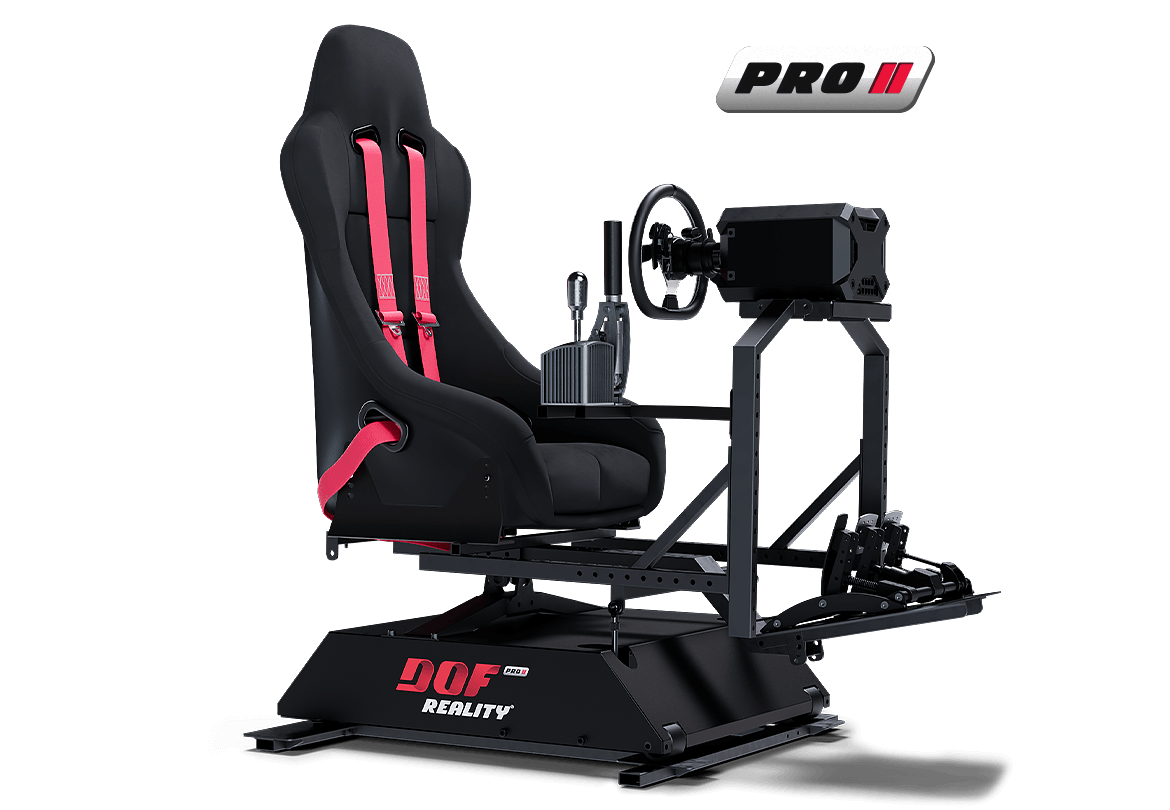
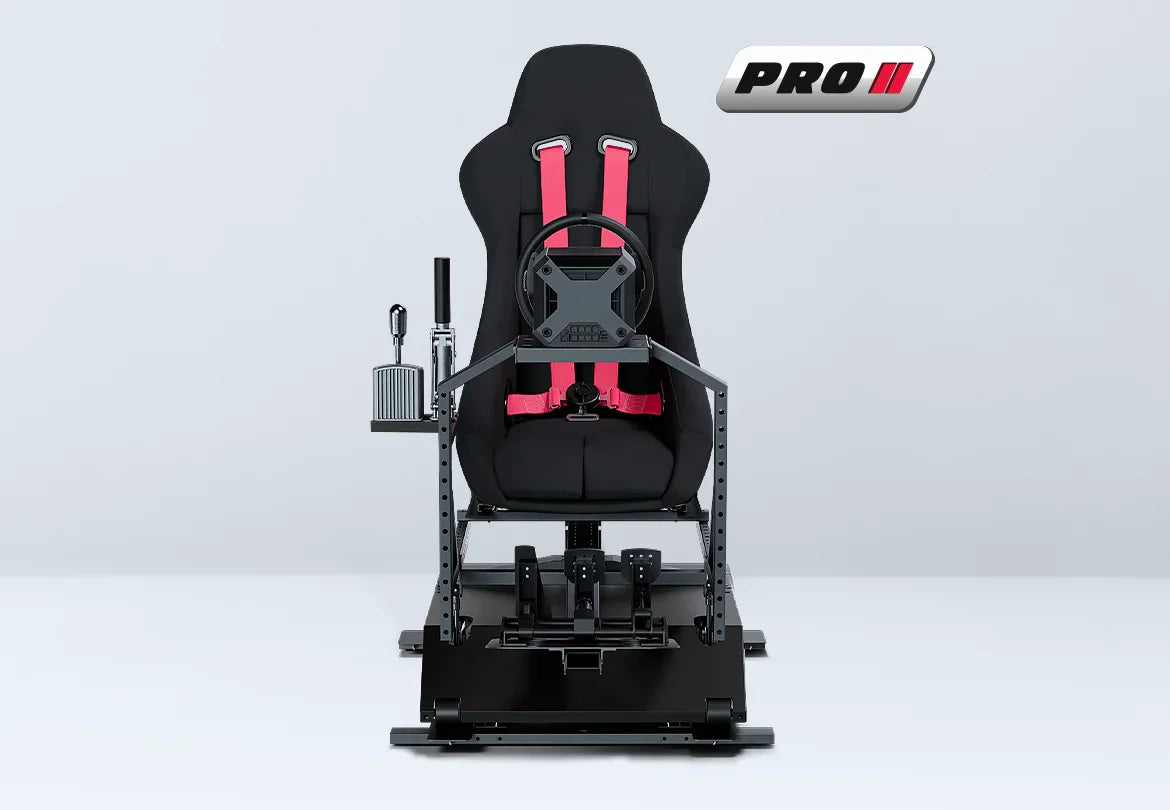
The DOF Reality P3 3-Axis Professional Motion Simulator Platform is a professional-grade three-axis system designed for demanding simulation use. Built for consistency and durability, it delivers pitch, roll, and yaw (traction-loss) motion for realistic and controlled simulation feedback.
The DOF Reality P3 3-Axis Professional Motion Simulator Platform provides tilt, lean, and rear-platform rotation, allowing it to reproduce effects such as oversteer, understeer, drifting, and rear-end movement that are not possible with standard 2-axis platforms.
Designed for simulator centers, VR venues, training facilities, and advanced home users, the DOF Reality P3 3-Axis Professional Motion Simulator Platform offers increased capability while maintaining stable and repeatable motion performance.
As part of the P-Series lineup, the system features reinforced motors and upgraded drivetrain components engineered for extended daily operation. This makes the DOF Reality P3 3-Axis Professional Motion Simulator Platform well suited for environments where motion platforms are used frequently and for longer sessions.
For users building a versatile cockpit that supports multiple simulation types with consistent performance, the DOF Reality P3 3-Axis Professional Motion Simulator Platform provides a balanced and reliable solution.
Free shipping is included, allowing for a straightforward purchasing experience without additional delivery costs.

Product Features
Product Features:
Experience True 3-Axis Motion Immersion

Key Features
3-Axis Motion (Pitch, Roll, and Yaw / Traction Loss)
The P3 adds a third motion axis to standard 2-axis systems, providing pitch, roll, and rear-end yaw movement. This allows simulation of acceleration and braking, body lean, and rear rotation for drifting, oversteer, understeer, and tail-swing effects.
Professional P-Series Motors
Uses reinforced P-Series motors and drivetrains that are more rigid than those found in the H-Series. These components are designed for extended daily operation, typically up to around 10 hours per day, in commercial environments such as VR arcades, simulator centers, and training facilities.
Full-Platform Motion
Moves the entire cockpit, including the seat, wheel or yoke, pedals, shifter or HOTAS, and mounted accessories. Keeping all components in the same moving frame helps motion feel more natural and immersive, particularly when using VR.
Universal Multi-Discipline Platform
Designed as a universal motion base that supports racing, flight, helicopter, truck, off-road, and custom simulator setups. The top-mounted cockpit can be reconfigured without changing the core motion system.
Commercial-Grade Steel Chassis
Built on a heavy-duty steel frame designed to handle high-torque direct-drive wheels, load-cell pedal sets, and heavier users. This construction supports long-term durability in both professional and advanced enthusiast environments.
PC and VR Ready with Broad Software Support
Designed for PC-based simulators using motion software such as SimRacingStudio or SimTools. The platform works well with VR headsets when configured with motion compensation or rig-mounted tracking.
Ideal Users and Applications
VR arcades and entertainment centers requiring reliable motion platforms for long daily operation.
Simulation centers and training environments needing realistic 3-axis motion with traction-loss feedback.
Motorsport and flight simulation enthusiasts seeking a professional-grade upgrade from consumer platforms.
Event and rental companies that need motion systems built for transport, frequent use, and fast setup.
What’s Included
DOF Reality P3 3-Axis PRO Motion Base
Professional-grade 3-axis full-platform motion base providing pitch, roll, and yaw or traction-loss movement.
Universal Steel Frame
Rigid frame with adjustable mounting positions for seat, wheel or yoke, pedals, shifter or HOTAS, and accessories.
Motors, Gearboxes, and Linkages
Factory-installed professional motors with extra-smooth gearboxes and pre-configured motion linkages.
Electronic Control Unit
Motion controller with motor outputs, power input, and USB interface for PC connection.
Power and Data Cables
AC power cable and USB cable for connecting the control unit to a computer.
Mounting Hardware
Bolts, washers, and brackets required for frame assembly and component mounting.
Setup and Software Guide
Documentation to assist with assembly, motion software setup, and simulator integration.
Not Included: Seat, steering wheel or yoke, wheel base, pedals, HOTAS or collective, button boxes, displays, PC, or VR headset. These items are user supplied to allow custom cockpit configuration.
Product Specifications
Motion Type: 3-axis full-platform motion
Degrees of Freedom: 3 DOF, forward and backward tilt, side tilt, rear rotation
Platform Style: Universal design supporting racing, flight, helicopter, truck, and mixed setups
Motors and Drive: Professional-series motors with extra-smooth gearboxes and SFU-style drive
Chassis: Industrial steel construction designed for commercial duty
Typical Motion Range: Up to approximately 20 degrees of pitch and roll, with significant rear traction-loss movement depending on configuration
Supported Load: Up to approximately 200 kg or 440 lb combined user and cockpit weight
Power Input: 100 to 240 V AC, 50 or 60 Hz
Intended Use: Professional and commercial environments including VR arcades, simulator centers, events, and training facilities
Getting Started Guide
Plan the installation area with sufficient clearance for full motion and safe entry and exit.
Assemble the steel frame and secure the P3 motion base using the supplied hardware.
Mount the seat and control hardware using adjustable slots and confirm comfortable ergonomics.
Connect motor cables to the control unit, connect USB to the PC, and plug into a grounded outlet or surge protector.
Install compatible motion software, select the P3 profile, and complete initial calibration.
Enable motion telemetry in simulator titles and adjust intensity, smoothing, and axis limits to suit the content.
Setup and Installation Recommendations
Place the platform on a flat, rigid surface to maintain motion accuracy.
Allow at least 12 to 18 inches of clearance around the rig in all directions.
Route cables neatly along the frame and ensure no wiring can snag during movement.
Use surge protection for the control electronics, especially in commercial settings.
Confirm all mounted components are securely fastened and within the recommended load capacity.
Recheck fasteners after initial use and inspect them periodically.
Use adjustable mounts if multiple users will operate the rig.
Enable motion compensation for VR setups to maintain stable headset tracking.
Start with lower motion intensity and increase gradually as users become familiar with the platform.
Keep motion software, firmware, and drivers up to date for best performance and compatibility.

Add On Options:
3 DOF Transportation Wheels:

This option adds portability to the platform by installing two heavy-duty front wheels. The assembled platform can be lifted from the rear so the front wheels contact the floor, allowing easier movement as well as loading and unloading.
It is suitable for frequent repositioning within a space or during events and is compatible with H2 and P2 platform models.
Metal Cyber Cover:

This enclosure is designed to protect the lower moving components of the motion platform. The Metal CyberCover features a durable outer shell that shields internal mechanisms while maintaining a clean, enclosed appearance.
It helps reduce exposure to moving parts, protects against dust and spills, and conceals internal components for a streamlined look. The cover is constructed from lightweight, precision laser-cut, powder-coated steel for strength and durability.
This cover is compatible with H2, H3, P2, and P3 platform models.
Pedals Quick Release:

This quick-release add-on is designed for users who alternate between two pedal sets, such as flight and racing pedals. It allows pedals to be swapped quickly without re-mounting and also provides additional adjustment range, making it easy to slide a single pedal set forward or backward for quick positioning.
HoneyComb A+B Adapter:

This adapter allows compatible HoneyComb Alpha and Bravo yoke and throttle controls to be securely mounted to the standard wheel plate.
Monitor Mount:

A VESA-standard (100 mm × 100 mm) mount is available for a single monitor weighing up to 33 lb (15 kg). Before ordering, ensure the platform is equipped with SFU gearboxes and the latest wide wheel-support vertical bars for compatibility
MagicBox for PS5/XBOX:

This Console Link (MagicBox) allows motion data to be received directly from supported console games without the need for a Windows PC. Motion is processed through compatible software and can be managed using a mobile device or tablet.
This option is intended for users who plan to run motion exclusively from console games without using a PC. It supports motion output only and does not replace other controllers such as steering wheels or pedals. The motion platform connects directly to the Console Link for console-based motion operation.
eBreak Stop Button:

E Break emergency button can be placed on the platform within a close reach to stop any platform motions immediately. It is compatible with any platform model.
HOTAS Mounts Kit:

Flight controls mounts kit for HOTAS. It includes throttle and flight joystick mounts. Joystick can be mounted in the center or on the side. This kit fits all our platform except M series.
Soft Protection Cover:

To protect you we also provide flexible moving parts protection cover. This cover fits H2, H3, P2 and P3 platforms.
Cables Extension Set for 2-3 DOF:

This cable set connects the control box to the motors. The standard cables are 1.2 m (4 ft) long and are suitable for most common installations.
For 2- and 3-DOF platforms, placing the control box under the pedal plate is recommended. For 6-DOF platforms, positioning the control box under the seat is typically preferred, as this helps keep cable routing organized. Extension cables are only required if the control box needs to be mounted farther from the platform.
Buttkicker Mount:

This is a mounting bracket intended for use with a tactile transducer commonly known as a ButtKicker. A tactile transducer is a vibration device that attaches to a simulator rig, typically beneath the seat or on the frame, and generates physical feedback from audio or telemetry signals.
The vibration feedback can simulate effects such as engine RPM and idle vibration, road surface texture, bumps, gear changes, wheel slip, and impact sensations in both racing and flight simulations.
The bracket is designed to position the transducer in an optimal location on the frame, such as a crossbar or under the seat, to ensure effective transfer of vibration through the simulator structure.
Sparco R100 Seat:

The Sparco R100 is a steel-frame foldable seat featuring updated bolster design for improved support and revised padding for enhanced comfort. The seat is supplied with sliders and the necessary mounting hardware.
Sparco Sprint Seat:

The Sprint is an FIA-approved racing bucket seat designed for competitive use and motion simulator setups. It offers a practical balance of safety, comfort, and value, featuring a tubular frame with a suspended bottom cushion for supportive seating.
The shoulder bolsters are shaped to fit smaller cockpit layouts. The seat supports both bottom mounting and traditional side mounting and includes openings for five- or six-point harness systems.
Size: Medium, suitable for users up to a 34-inch waist.
The seat is supplied with side brackets, sliders, and all required mounting hardware.

The Sparco R333 features a modern, foldable design suited to contemporary street vehicles. It includes contoured bolsters and padding for improved support and comfort, along with two easy-to-use adjustment levers on both sides of the seat.
The seat provides openings for five- or six-point harness systems and is supplied with sliders and all required mounting hardware.
4-Point Harness (Red):

Finished in red, this harness features lightweight, high-strength steel adjusters, an aluminum buckle, and snap-hook fasteners for secure and efficient fastening.
Constructed from 2-inch wide polyester webbing, it is designed for durability and comfort, with branded detailing for a clean, professional appearance.

Frequently Asked Questions
Q: What’s the main difference between the H3 and the P3?
Both the H3 and P3 provide three degrees of freedom, including pitch, roll, and yaw or traction loss. The P3 is part of the Professional P-Series and uses reinforced motors, smoother gear systems, and a more robust chassis designed for extended daily operation in commercial environments. The H3 is aimed primarily at enthusiast and home use, while the P3 is built for higher durability and longer runtimes.
Q: What does the third axis (yaw or traction loss) add?
The third axis introduces rear-end rotation, allowing the platform to simulate effects such as oversteer, drifting, skids, and tail movement. In racing simulations, this translates to feeling the rear of the vehicle slide through corners. In flight and helicopter simulations, it represents rudder input and slip or skid behavior, improving directional feedback.
Q: Is the P3 only for racing, or can it be used for flight and other simulations?
The P3 is a universal motion platform designed for multiple simulation types, including racing, flight, helicopter, truck, off-road, and custom training applications. The cockpit setup can be changed without modifying the motion base, allowing one platform to support different simulation disciplines.
Q: How noisy is the P3 during operation?
For a motion platform, the P3 operates at moderate noise levels, typically comparable to a desktop PC or a low-to-mid 50 dB environment under normal use. Mechanical movement is audible during more aggressive motion profiles, but overall noise levels are generally suitable for home simulator rooms and commercial spaces.
Q: How much space do I need?
The platform footprint is similar to a standard simulator rig, but additional clearance is required for motion travel and safe access. Allowing approximately 6 ft by 6 ft of space with adequate ceiling height is recommended.
Q: What is the weight capacity?
The P3 is designed for heavier-duty use and supports a combined load of approximately 200 kg (about 440 lb), including the user, seat, and attached cockpit components. Very heavy custom configurations should be reviewed to confirm compatibility.
Q: How complicated is the setup?
Setup is manageable for users familiar with simulator rigs or similar equipment. Assembly includes building the steel frame, securing the motion base, mounting the seat and controls, connecting the control unit, and installing motion software on a PC. Most users can complete initial setup within a few hours, with additional time for fine-tuning ergonomics and motion profiles.
Q: What’s included, and what do I need to provide?
The package includes the P3 motion base, universal frame, professional motors and gearboxes, control electronics, power and USB cables, and mounting hardware. Users provide their own seat, steering wheel or yoke, pedals, shifter or HOTAS, monitors or VR headset, PC, and simulator software.
Q: Will it work with PlayStation and Xbox?
Yes, with limitations. Console platforms operate within closed systems, and only certain titles transmit motion telemetry. Motion support applies only to platform movement and does not replace standard console controllers. Additional console motion hardware is required for compatible games.
Q: What seat should I use with the platform?
Seat choice depends on personal comfort and simulation style. The P3 supports most bottom-mounted automotive and gaming seats.
Bucket-style racing seats are commonly used for added stability during higher motion intensity. Lightweight seats are recommended for improved motion responsiveness. Harness systems are optional.
Seats with sliders are recommended for easier adjustment. Some bucket seats may require additional mounting brackets or adapters.
Seat Mount Dimensions:
Depth: 280 mm
Width options: 345 mm, 375 mm, or 405 mm
Q: Can I upgrade later if I start with another DOF Reality model?
Yes. DOF Reality platforms are modular, and many users upgrade over time from 2-axis to 3-axis systems or from the H-Series to the P-Series. Upgrade paths depend on the original platform configuration.
Q: How much maintenance is required?
Maintenance needs are minimal. Recommended practices include periodic inspection and tightening of bolts, keeping actuators and linkages clean, applying light lubrication to moving parts when needed, and monitoring for unusual sounds or movement.
Q: Is the P3 suitable for commercial use, events, or VR arcades?
Yes. The P-Series is designed specifically for professional environments. Reinforced motors, a stronger frame, and traction-loss capability make the P3 well suited for VR arcades, simulator centers, training facilities, events, and high-use installations.
Q: How does motion compensation work with VR?
When the platform moves, the VR headset moves with the user, which can slightly affect visual alignment. In most cases this effect is minimal.
If visual movement becomes noticeable, reducing motion intensity often improves stability. Motion compensation tools can also be used to help maintain consistent visuals during platform movement.
Tracking devices should be securely mounted to the platform and isolated from excessive vibration to ensure reliable VR tracking.